Slide deck
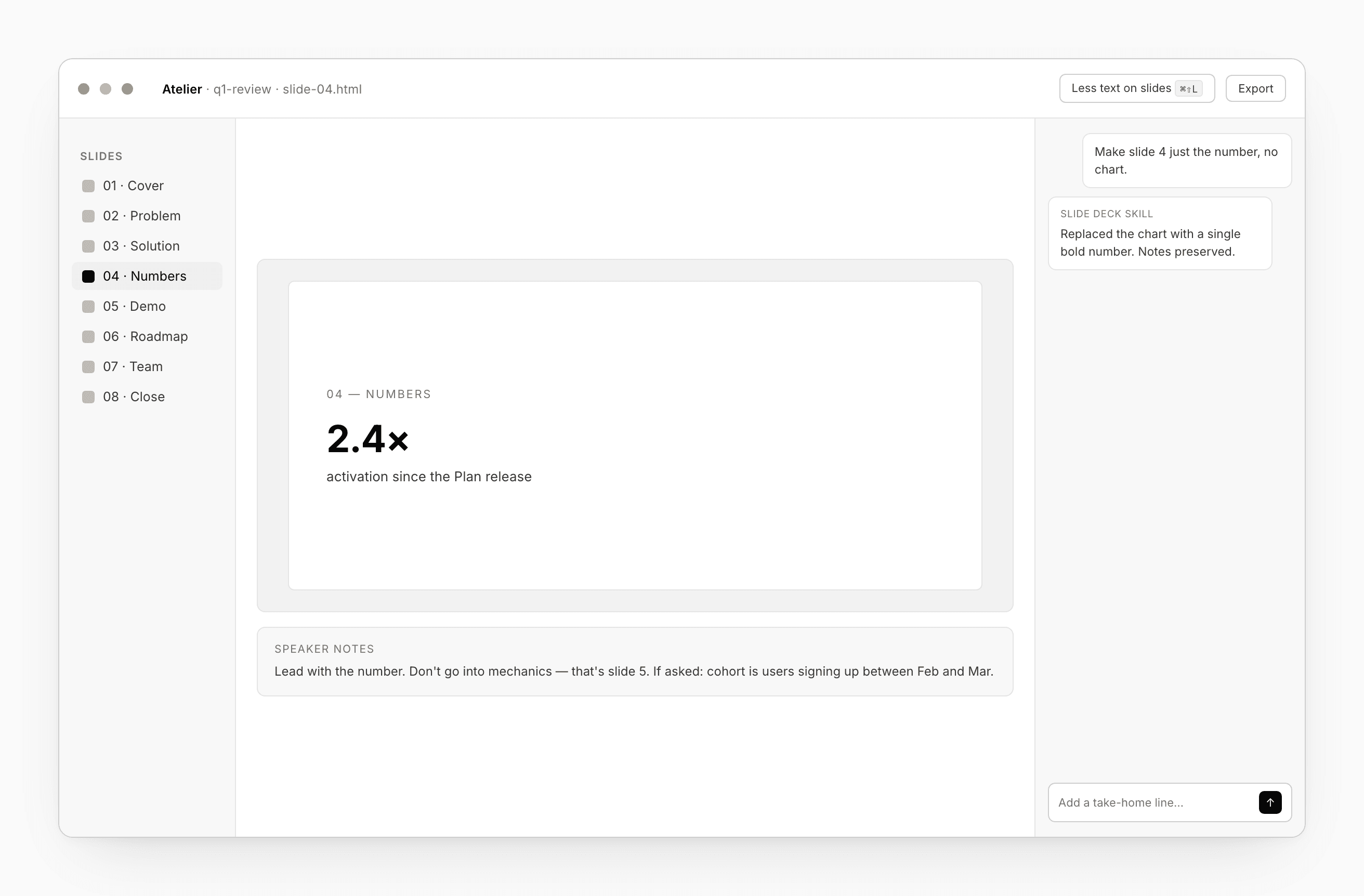
A slide deck is a project kind. The workspace is the same as a Design — files panel, canvas, chat, preview — with a few slide-specific touches.
Building a deck
The chat agent’s Slide deck built-in skill kicks in on the first turn. Ask for “a deck on X for an internal review” and Atelier scaffolds a starter set of slides using your Design system tokens.
One slide per file by convention. The file list runs in order. Use ↑ / ↓ while the preview is focused to walk through slides; the current one is highlighted.
Two slide-specific touches
- Less text on slides — a toolbar toggle that biases the chat toward sparse copy (titles + bullets + speaker notes) instead of paragraph-prose layouts.
- Speaker notes — a drawer at the bottom of the preview. The agent writes notes per slide as it generates; you can edit them. The notes flow into your exports.
Export formats
Slide decks unlock two formats no other kind has — PowerPoint (screenshots) and PowerPoint (editable).
| Format | What you get | When to use |
|---|---|---|
| Project ZIP | Source archive | Git or handoff |
| Standalone HTML | One self-contained file | Share a link, attach to mail |
| Each slide paginated, full-bleed | Read-only review, print | |
| PowerPoint (screenshots) | One image per slide, full-bleed | Pixel-perfect, text not editable |
| PowerPoint (editable) | Native shapes + text + images | Reviewer fixes a typo in PowerPoint |
| Claude Code handoff | Workspace ZIP + CLAUDE.md | Hand the deck to a Claude Code session |
Screenshots vs editable
Use Screenshots when the design has gradients, masking, or fonts your reviewer doesn’t have installed. Pixel-perfect, but text isn’t selectable in PowerPoint.
Use Editable when your reviewer needs to fix a typo without re-rendering. Studio walks the rendered slides and produces native PowerPoint shapes — text boxes, fills, images. Some advanced CSS effects degrade.
Speaker notes attach as native notes in both modes.
See Export.
Brand bindings
Bind a slide deck to a Design system: Settings → Bindings. The agent uses your palette, type, and spacing; tokens cascade on the next open. See Bindings.
Component library bindings are accepted too, but rarely useful — slide content is usually one-off layouts, not reusable components.
Comments and review
The preview’s comment overlay pins threads to slide regions. Useful for “this number is wrong” review passes from collaborators with share grants.
Shortcuts
| Action | Shortcut |
|---|---|
| Next slide | ↓ |
| Previous slide | ↑ |
| New slide | ⌘N |
| Toggle speaker notes | ⌘⇧N |
| Toggle “Less text” | ⌘⇧L |