What is Studio
Studio is where ideas become things. A builder for designs, slide decks, sketches, libraries, and full apps. Whatever you make in Studio runs on Base the moment you ship it.
Studio is one way in. The same Atelier project is also reachable from the CLI, an MCP-aware editor, or Cursor / Claude Code / others. Pick the surface that fits your workflow.
What you can make
Studio organizes everything as projects. A project has a single kind:
- Hi-fi design — pixel-perfect screens, no interaction.
- Prototype — early-fidelity exploration, room to iterate.
- Interactive prototype — clickable, multi-screen flows, no backend.
- Slide deck — presentation slides; exports to PowerPoint and PDF.
- Design system — your brand’s tokens (color, type, spacing, motion).
- Component library — your React or Flutter component kit.
- App — a real product with code, database, auth, and deploy.
You can promote a design straight into an app, share a design system across projects, and let the AI agent edit any of them from the chat.
See Project kinds for what each one is good for.
The Console
Sign in and you land on the Dashboard — a gallery of your projects, screenshots by kind. Pick one to open its workspace; create a new one from the left rail.
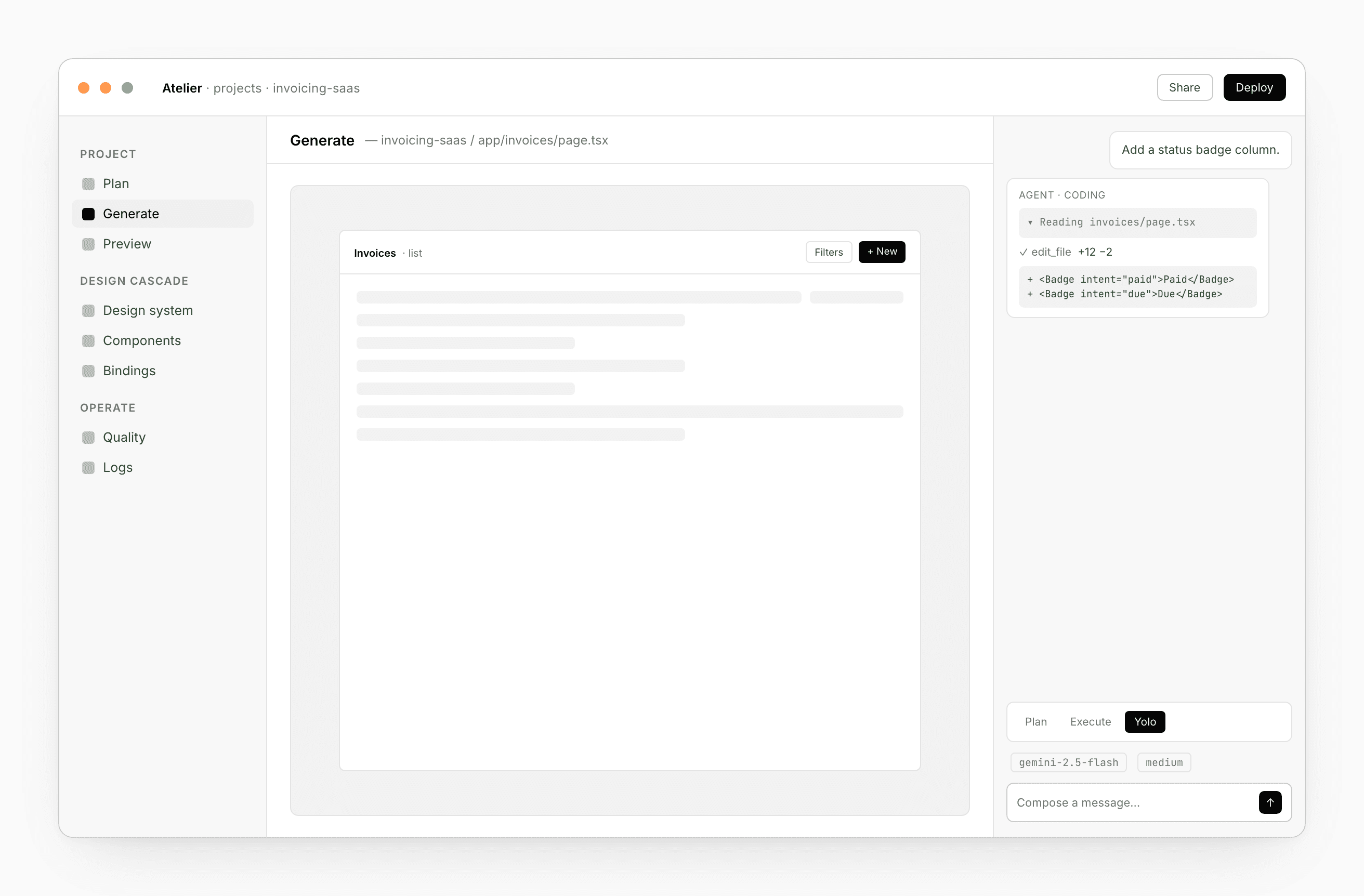
Inside a project, you’ll typically have three things side by side: a workspace (canvas, editor, or tabbed code surface), a live Preview, and the Chat at the bottom. The chat is the agent that does the editing.
See Dashboard for the surface and Chat for the agent.
The cascade
Your brand lives in one place. Tokens flow from a Design system into a Component library; the library plugs into every App you’ve bound it to.
Change a color once, every bound app picks it up the next time it renders. No manual sync.
See Bindings for the model.
How Studio fits with Base
Studio authors. Base runs.
- A design system you publish in Studio shows up as tokens in every bound app.
- A component library publishes to your apps as an installable kit.
- Your app’s code, schema, and functions deploy to Base from the App’s Code tab.
- The chat agent talks to Base too — model aliases, RAG, the AI Gateway. See Base → LLM.
Whichever client you use — Studio, the CLI, your editor — the project’s state lives in Base. Open the same project from Studio on Monday and the CLI on Tuesday; nothing reconciles, nothing diverges.
Inbound from other tools
You don’t have to start in Studio. From a Claude Code session, hand the work over with one slash command — Studio creates a fresh design project carrying your prompt and a CLAUDE.md describing what you brought. See From Claude Code.
Same direction in reverse: every project can export to a handoff bundle a Claude Code session can pick up.
Skills
The chat can specialize on demand. Wireframe, Mobile prototype, Slide deck, and more ship as built-in skills the agent invokes automatically. You can write your own — short, named prompts that follow you to every device. See Skills.
Pick your starting point
- Want to sketch loose first — Prototype or Napkin
- Want pixel-perfect from the start — Hi-fi design
- Building a deck — Slide deck
- Defining a brand — Design system
- Shipping a shared component kit — Component library
- Building the actual product — App
- Coming from Claude Code — From Claude Code