Skills
A skill is a short, named prompt the chat agent pulls into context when it needs specialized behavior. Asking the chat “use the wireframe skill” loads the wireframe authoring rules for the rest of the conversation.
Two flavors:
- Built-in skills — ship with Studio. Always available. Update with the app.
- Custom skills — your own. Persist per account. Follow you to every device.
Why skills
Without skills, the chat’s default prompt has to either include every possible specialization (too long, expensive) or omit them (the agent underperforms on edge tasks). Skills are the middle ground: a lean default plus named extensions the agent loads when the conversation calls for them.
The agent picks them up automatically when the conversation steers there — you can also nudge: “use the wireframe skill”, “use my saved startup pitch skill”.
Built-in skills
A non-exhaustive list of what Studio ships:
| Skill | What it does |
|---|---|
| Wireframe | Produces low-fi napkins from prompts. |
| Mobile prototype | Biases output toward mobile viewport, touch targets, gesture flows. |
| Slide deck | Sparse copy, one slide per file, speaker notes. Used in Slide deck projects. |
| Design system creation | The starter prompt the DS wizard uses to generate a fresh tokens set. |
| Component library scaffolding | Generates component + stories + manifest triples. |
| Visual regression baseline | Picks regions to pin as visual baselines. |
| Bug repro | Walks an error and replay into a self-contained reproduction. |
| Plan-to-code | Reads a project’s plan and produces schema, policies, routes, and function skeletons. |
Built-in skills update with the app. New ones land on Studio releases.
Custom skills
Your own. Each one is:
- A name — short and identifier-shaped.
- A description — one line, shown in the manager and in the chat when invoked.
- A body — the prompt itself, Markdown.
The chat invokes a custom skill exactly the same way as a built-in.
The Skills manager
The Dashboard’s Skills tab is where you create, edit, and delete your custom skills.
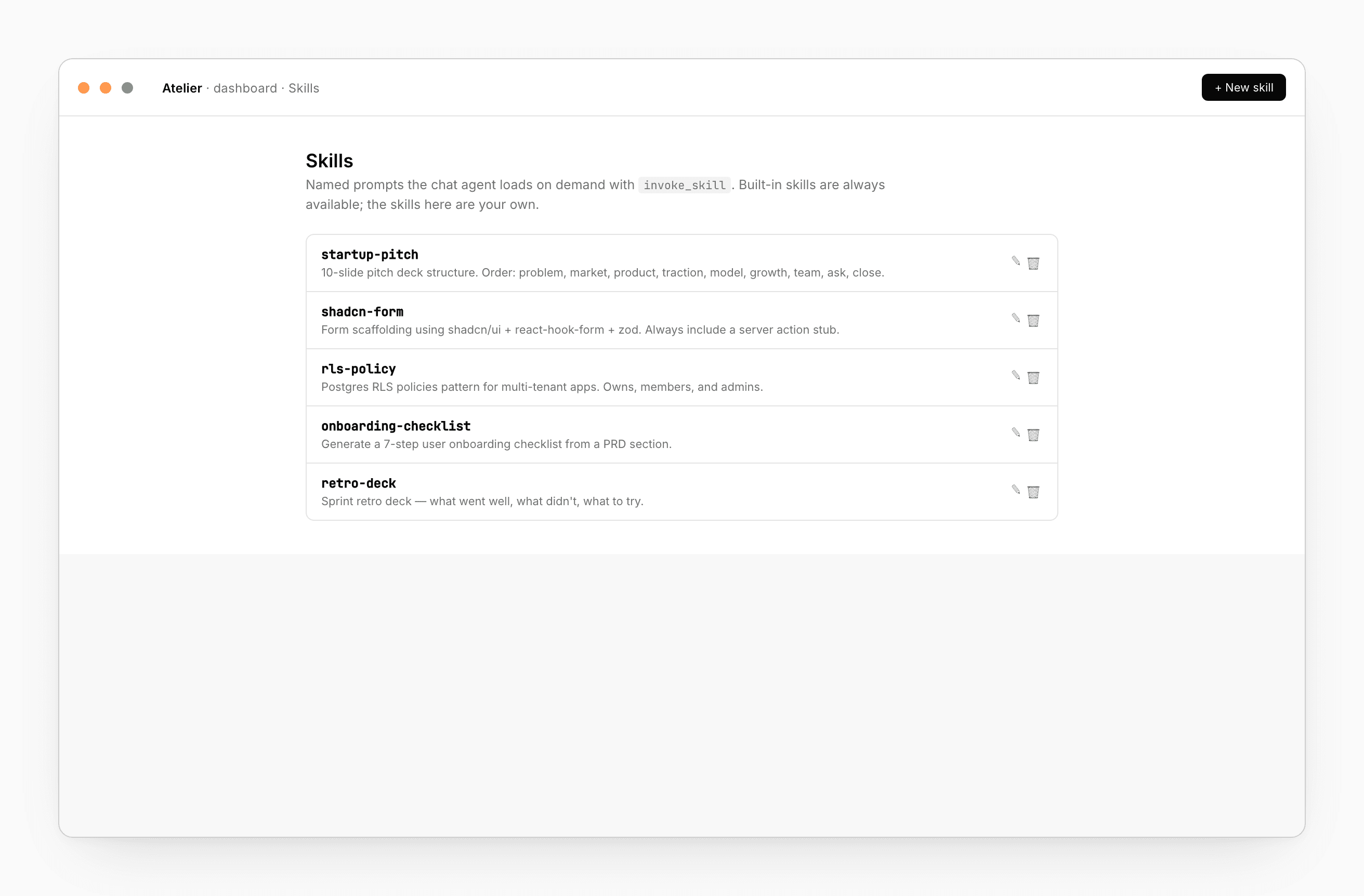
Create
+ New skill opens a dialog. Pick a name (no spaces; the chat invokes it as skill-name), a one-line description, and write the body as Markdown.
Edit and delete
Pencil to reopen the dialog. Trash to delete (with confirmation). Changes take effect immediately on the next chat turn.
Sign-in required
Custom skills are scoped to your account. The manager shows a sign-in prompt when you’re not logged in. Built-in skills work without an account.
What makes a good skill
Skills work best when they’re small, sharp, and named for intent — not for a domain.
Good:
startup-pitch— 10-slide pitch deck structure. Order: problem, market, product, traction, model, growth, team, ask, close. One number per slide. Skip “About us”.
Bad:
marketing— Marketing content.
(Too vague; the agent doesn’t know when to invoke it.)
A skill body should say:
- The output format you want (file layout, tone, length).
- The structural rules (e.g. “every component exports
Component,Component.stories.tsx,manifest.ts”). - The forbidden patterns (“never use
var()directly; only CSS variables fromtokens.css”). - One or two examples.
The agent reads the body verbatim. Treat it as a contract.
How the chat invokes
The chat’s default prompt knows the names of every available skill. It picks one when the conversation steers there:
- “make this look like a pitch deck” → invokes
startup-pitch. - “draft the wireframe first” → invokes
wireframe.
You can force it: “use the shadcn-form skill” — the agent obeys.
After invocation, the body is in context until the chat clears or you start a new thread.
See also
- Chat — how the agent decides what to invoke
- Dashboard — manager surface
- Design system → Create — uses a built-in skill